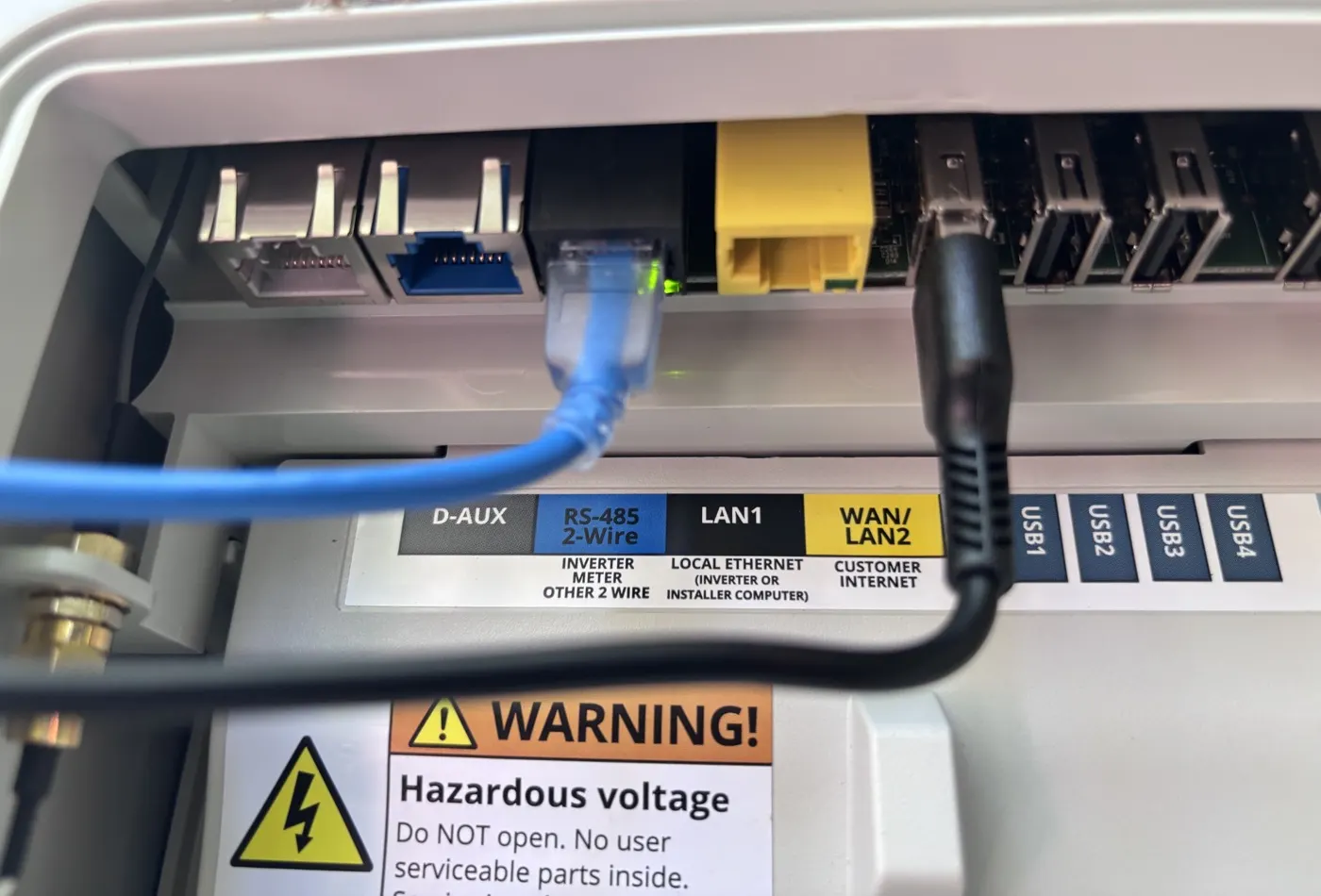
The data is in the box
SunPower systems use a microinverter on every panel, and each one reports to the PVS6. The gateway keeps one row per panel, whether or not anyone's cloud is listening.
Each row carries:
| Field | What it tells you |
|---|---|
| SERIAL | Which micro |
| MODEL | Its module type |
| STATE | Working or in error |
| DATATIME | When it last reported |
| p_3phsum_kw | AC power out, kW |
| v_mppt1_v | DC volts from the panel |
| i_mppt1_a | DC amps from the panel |
| ltea_3phsum_kwh | Lifetime energy, kWh |
| t_htsnk_degc | Micro temperature, °C |
That's enough to tell a dead micro from a shaded panel before anyone climbs a ladder.
Four ways in
| Route | What you see | How long |
|---|---|---|
| Owner's SunStrong Premium | Panels in the owner's app | While they pay $9.99/mo |
| Laptop on LAN1 | The full device list, live | While you're on site |
| Enphase gateway swap | Panels in Enphase's tools | Ongoing, after a hardware swap |
| Plug-in monitor | Every panel, live | Ongoing; owner shares it with you |
1. The owner's SunStrong login
SunStrong Connect shows panel-level data on Premium, $9.99/mo or $99.99/yr, for microinverter systems only. Lease and PPA customers get Premium with their agreement.
It works if the owner pays and is standing next to you with their phone. It's their app, not yours.
2. A laptop on LAN1
The fastest look on a first visit. Open the PVS6, plug an Ethernet cable from your laptop into LAN1, and the gateway at 172.27.153.1 gives you an address. Then:
GW=https://172.27.153.1
curl -k -c jar \
  -u ssm_owner:LAST5 \
  "$GW/auth?login"
curl -k -b jar \
"$GW/cgi-bin/dl_cgi/devices/list"- Log in: user
ssm_owner, password the last five characters of the PVS6 serial. A 404 means older firmware with no login; skip ahead. - Read the device list.
- Rows with
DEVICE_TYPEInverter are the panels.
Details and error codes: the full laptop steps. Newer PVS6s have no jack; see PVS6 with no Ethernet port.
What it can't do: show you anything after you drive away.
3. An Enphase gateway swap
Enphase offers to replace the SunPower gateway so the system reports to its platform: $999 as of August 2026; confirm with Enphase. Not available for SunVault battery systems, which Enphase's monitoring-restoration service explicitly excludes.
Enphase's field service team commissions it with its installer partners (SolarQuarter, April 2025). The owner pays.
4. A monitor left on site
A laptop shows you today. A micro that dies next month stays invisible until someone looks again.
A plug-in monitor sits inside the PVS6 and reads it every 2 minutes. Each panel updates as often as the gateway measures it: every 2.5 to 15 minutes, depending on the gateway. Install takes about 5 minutes, no roof work.
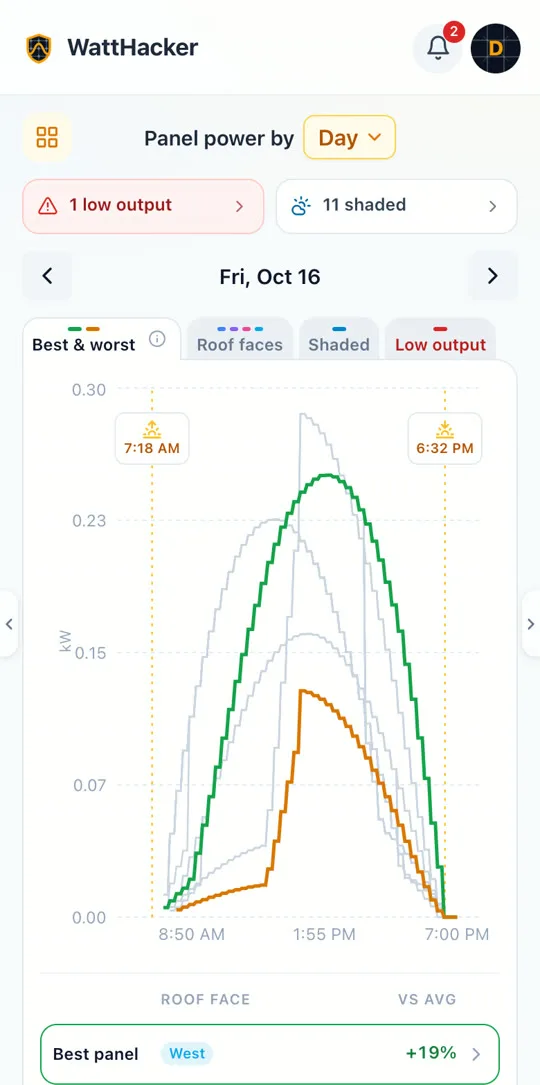
What ships today, in the owner's WattHacker app:
- Every panel, live, best and worst highlighted.
- Alerts when a panel stops for 48 hours, or makes under half of its roof neighbors.
- Share your WattHacker portal, in the owner's Settings: they send you a link, and you see their panels, read-only, from your own login.
Circuit monitors are a different tool
Plenty of shops install an Emporia Vue, and it's a great product. We use Emporia at home ourselves. It measures the whole home and each circuit, and owners love the app.
On the solar breaker, it measures the array's total current. A total adds every panel together, so it can't say which one is low. One dead micro in 30 panels is about 3% of the total, smaller than a cloudy afternoon.
Use both: Emporia for the home, panel-level data for the roof.
Where to go next
- Found a panel with no recent report? SunPower microinverters not reporting.
- Gateway acting up? the PVS6 lights and troubleshooting guide.
- First visit to an orphan? servicing orphaned SunPower systems.
Service SunPower systems? Let's talk.
We're signing up repair and service shops that want to see every panel on their customers' systems.
- Every panel, live, from the SunPower box already on the wall
- 5 minutes to install, no roof work
- Owners near you who need a pro, sent to you
Common questions
Can I get panel-level data from a SunPower system without the original installer's login?
Yes. The PVS6 keeps every panel's readings on site. A laptop on its LAN1 port reads them with the owner's gateway login, which is a fixed user name and the last five characters of the gateway's serial.
What does the PVS6 report for each panel?
One row per microinverter: serial, model, state, the time it last reported, AC power, DC volts and amps from the panel, lifetime energy, and temperature.
What IP address is the PVS6 on LAN1?
172.27.153.1. It runs a DHCP server on LAN1, so a laptop plugged in gets a 172.27.153.x address on its own.
Does SunStrong give service shops access to customer systems?
We found no fleet login for third-party shops. SunStrong's commissioning app, SunPower Pro Connect, needs a SunPower Pro account. The owner's SunStrong Connect app shows panels on Premium, for microinverter systems only.
Can I see a customer's panels between visits?
Only with something left on site. A plug-in monitor reads the PVS6 every 2 minutes, and the owner can share read-only access with you from the WattHacker app.
 See every panel on your customers' roofs For solar service pros.
Service SunPower systems?
See WattHacker Pro Try the demo Back to home