The short answer: pick the one that matches what you want to do
SunStrong runs two separate systems with two separate accounts. Almost every "my SunStrong login is not working" problem is someone using the right password on the wrong one.
- To pay a bill, set up autopay, or find a statement or 1098 form — that is SunStrong Consumer Central at esp.myaccountinfo.com, also reachable from the "My Account" link on sunstrongmanagement.com. It is a payments system and shows no solar data.
- To see your solar production — that is the SunStrong Connect app, in the Apple App Store and Google Play. It replaced the old mySunPower app.
They do not share credentials. Your billing account number will not open the monitoring app, and vice versa. If you are still stuck after picking the right one, SunStrong's Help Center is where account resets and customer care are handled — we are not affiliated with them and cannot reset an account for you.
Why this is confusing, and why it is not your fault
SunPower filed Chapter 11 in 2024 and shut down all official support on September 20, 2024, taking the mySunPower app, the web portal, and the phone line with it. SunStrong Management picked up two different pieces of the wreckage: the lease and PPA contracts, which is a financial servicing job, and the monitoring platform, which is a software job.
Those arrived as separate systems and stayed separate. So the company that emails you about a payment and the app that shows your panels are the same brand wearing two hats, with no shared login between them.
If you lease your panels, stop here
Lease and PPA customers get SunStrong's paid monitoring tier included with the agreement. If that is you, the monitoring you are trying to reach is already yours at no extra cost, and you should not buy a third-party monitor — including ours. Confirm it with SunStrong through their Help Center rather than paying anyone.
We would rather tell you that here than take an order and have you discover it afterwards.
If you are tired of paying every month
This is the part that gets said most often, and it is worth separating from the login problem. You bought the panels, the microinverters and the gateway. Being billed every month to look at what they are doing is a different thing from being billed for electricity, and owners say so — resentment at paying to see data that used to be free is one of the most consistent themes among people who bought their systems outright.
The difference is structural, not just a price gap. A subscription never finishes. Over 5 years, SunStrong Premium at $99.99/yr comes to $499.95, and in year six it starts again. The WattHacker monitor is $58 once, including shipping — after which seeing every panel is free, with no subscription and no card on file. There is an optional plan at $6/mo if you want the history kept and the alerts, but per-panel data is not what we charge for.
And nobody here is selling you panels
The other thing worth knowing is what we are not. We do not sell solar, we do not do installs, and we do not file warranty claims. That matters because almost everyone else looking at your roof has something riding on the answer. We have nothing to gain from telling you the system is fine, and nothing to gain from telling you it is broken — which is the whole reason the numbers are worth anything.
To be clear about the other side of it: SunStrong runs a real service and, if the app does what you need, paying for it is a perfectly sensible choice. We are not the only option and we do not pretend to be.
If you own your system outright
Then the paywall is the real problem, not the login. SunStrong's free tier shows real-time power flow and system health. What sits behind Premium at $9.99/mo ($99.99/yr) is the part that answers actual questions: history, panel-level monitoring and analytics. Real-time power tells you the system is on right now. It cannot tell you whether this year is worse than last, or whether one panel out of thirty quietly stopped.
Your production data is not really theirs. Your PVS6 gateway holds it locally, on your own home network, and it can be read without any subscription. There are three honest ways to do that:
Keep paying SunStrong
Perfectly reasonable if the app does what you need. $9.99/mo ($99.99/yr), checked August 2026 — confirm current pricing with SunStrong. Nothing to install, and it stays their problem to maintain.
Pay Enphase to replace the gateway
Enphase will send a technician to swap the SunPower gateway for an Enphase one, moving you onto their platform with no monthly monitoring fee afterwards. It is hardware plus a service call, so it is a real up-front cost and you need to be home for the visit. $999 as of August 2026 — confirm current pricing with Enphase. Not available for SunVault battery systems, which Enphase's monitoring-restoration service explicitly excludes.
Read the gateway you already own
A plug-in monitor reads your existing PVS5 or PVS6 on your own network — no technician, no appointment, no account with anyone who can switch it off. With the WattHacker monitor, seeing your panel data is free forever: every panel, live, no subscription, and no card on file. You pay once for the $50 monitor and nothing after; an optional premium plan at $6/mo (billed annually) adds history and alerts.
And if you are technical, you can read the gateway yourself for free with open-source software, at the cost of setting it up and maintaining it.
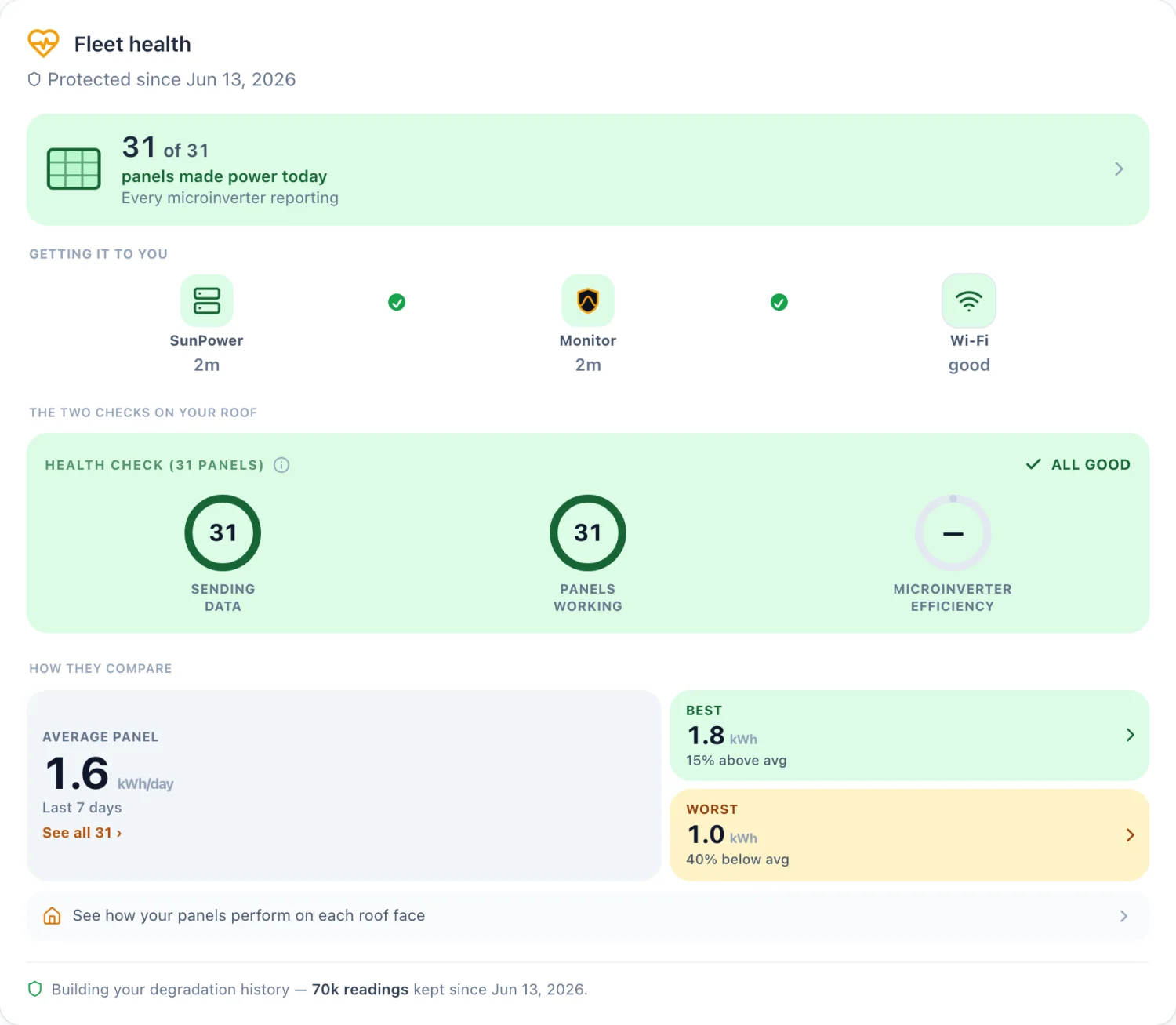
Where WattHacker fits
The WattHacker monitor is a small box that plugs into your existing SunPower PVS5 or PVS6 gateway on your own home network and reads it directly. It doesn't rely on SunPower's or SunStrong's servers, because for owners like you those are either gone or behind a paywall. No technician, no electrician, no rewiring — you plug it in yourself.
- The monitor is $50 once, with a 30-day money-back guarantee.
- Free to see your panel data, forever — every panel, live, no subscription, and no card on file.
- An optional premium plan at $6/mo (billed annually) adds the memory: full history kept for good, year-over-year comparison, and alerts told to you in dollars.
- Built by an electrification superfan who wants to help others use their solar smarter, lower their utility bills, and clean up the planet. Who's behind it.
Still have questions about your own system? I'll go through it with you — your panels, your bill, and what's worth doing about it.
Book an energy reviewOwn a SunPower PVS6? See it for SunPower.
Real panels, real production.
Common questions
Why does SunStrong have two logins?
Because SunStrong Management does two separate jobs. It services the lease and loan contracts SunPower left behind, which is billing, and it also runs the monitoring platform inherited from the mySunPower app. Those are different systems that were never merged, so they have different accounts.
Which login do I need to pay my bill?
The billing portal is SunStrong Consumer Central at esp.myaccountinfo.com. That is where payments, autopay, statements, and 1098 forms live. You can also reach it from the My Account link on sunstrongmanagement.com. It is a payments system, so it will not show you your solar production.
Which login do I need to see my solar production?
The monitoring app is called SunStrong Connect, in the Apple App Store and Google Play. It replaced the mySunPower app. Your billing account number will not sign you in to it — it is a separate account.
I lease my panels. Do I need to pay for monitoring?
No. If you are a lease or PPA customer, SunStrong bundles the paid monitoring tier with your agreement at no extra cost. You should not be paying anyone for monitoring, and you do not need a third-party monitor. Check with SunStrong before buying anything.
I own my system outright. Why is my data behind a paywall?
SunStrong rebuilt the app as freemium. The free tier gives real-time power flow and system health; history, panel-level monitoring, and analytics sit in Premium at $9.99/mo ($99.99/yr). Owners who bought their equipment outright often find that hard to accept, which is a reasonable reaction and the reason alternatives exist.
See your own panels, live.
See plans Try the demo Back to home