If you are still getting monthly “performance report” emails
You are not imagining it, and it does not mean the company is back. Owners still receive a monthly message from no-reply@sunpowercorp.com titled “Your Latest SunPower Monitoring Monthly Report”, carrying a PDF named ResiMonthlyPerformanceReport.pdf. We verified one on a real inbox in August 2026 — nearly two years after SunPower shut down support.
It is an automated job that nobody turned off. The tell is in the email itself, and once you see it you cannot unsee it:
- the footer still reads “© 2021 SunPower Corporation”, with the old San Jose head-office address;
- the SunPower logo does not load — the server that hosted it no longer exists in DNS at all;
- the link to the mySunPower product page returns 404;
- and the “Refer Friends and Family to SunPower” banner is still there, still inviting you to recommend a company that went bankrupt — also 404.
One link does still work, and it is the useful discovery: the App Store link in that email now opens SunStrong Connect. The listing was renamed in place — same app ID, new owner, new name — which is why the app never “disappeared” from your phone so much as quietly became something else.
What if the emails stop? Nothing happens to your solar. The email is a report about your system, not a part of it; your panels and inverters carry on regardless. What stops is the last automatic record anyone sends you — and it was never much of one. A monthly PDF has no per-panel detail, nothing you can export, and no way to compare this July against last July. Given it is an unmaintained job on decaying infrastructure, the honest planning assumption is that it stops one month without warning and nobody announces it.
You do not need to do anything. But it is worth being clear-eyed that a PDF from a mailer nobody maintains is not monitoring — it will not tell you that one panel out of thirty stopped three weeks ago.
What actually happened
If the mySunPower app stopped loading, stopped updating, or now asks you to pay, the most likely explanation has nothing to do with your roof. SunPower filed for Chapter 11 bankruptcy in 2024, and all official support went dark on September 20, 2024 — the mySunPower app, the customer web portal, and the 1-800-SUNPOWER phone line, all at once. Around 600,000 residential systems lost visibility overnight.
SunStrong Management took over the monitoring platform and rebuilt the app. Its focus is primarily lease and PPA customers. If you bought your system outright — especially if it was installed on or before September 30, 2024 — you are the most orphaned group of all: the rebranded SunPower (Complete Solar) explicitly does not assume your warranty or service obligations.
First: is your system actually working?
This is the question underneath the question, and it's the one almost every owner asks first. Three ways to sanity-check without any app at all:
- Look at your gateway. The PVS6 is the white box near your electrical panel (a PVS5 looks similar and sits in the same place). Lights on and no alarm state means it's powered and running.
- Look at your utility bill. Compare this month's net usage against the same month last year. Solar output varies with weather and season, so month-over-month tells you little — but a year-over-year collapse is a real signal.
- Look at your meter mid-day. On a clear sunny afternoon, a working solar system usually pushes the meter toward or past zero. If it doesn't, that's worth investigating.
None of these tell you about an individual panel. A single dead microinverter out of thirty costs you roughly 3% of production — invisible on a bill, invisible at the meter, and it can run for years. That's the gap the app used to fill.
Your options now, honestly
1. The SunStrong app (free tier)
SunStrong rebuilt the app with a free "Basic" tier — real-time power flow and system health — and a Premium tier at about $9.99/mo or $99.99/yr for historical data, panel-level monitoring, and analytics. If you only want to know the system is on, the free tier may be enough. Be aware that owners widely resent paying for data they previously had for free, and some who prepaid annual monitoring report receiving no data after their subscription anniversary.
2. Pay Enphase to replace the gateway
Enphase — who made the microinverters on most SunPower roofs — will restore monitoring by sending a technician to your house to replace the SunPower gateway with an Enphase one. It's the most hands-off route and it puts you on a platform with a company behind it.
What to weigh: it's a paid service call with hardware and an installer visit, so it's the most expensive option by a wide margin, and you need to be home for it. $999 as of August 2026 — confirm current pricing with Enphase directly. Not available for SunVault battery systems, which Enphase's monitoring-restoration service explicitly excludes.
3. An independent app on your phone
Sunflower (by Singular Stellar) reads your PVS5 or PVS6 directly from a phone app — free to try, $1.99/mo or $11.99/yr for premium, with an optional $49.99 "Bridge" box for remote access. It's the cheapest paid route here. The catch in the free version is that your phone has to be on the same Wi-Fi as the gateway, and nothing is logged while the app is closed. Pricing checked 10 August 2026; not affiliated with us.
4. Plug in an independent monitor yourself
Keep the SunPower gateway you already own and add a small monitor that reads it on your own network. No technician and no appointment — this is what the WattHacker monitor does, and it's $50. Details below.
If you're technical, you can also build this yourself for free — the gateway's local interface is well documented by the open-source community, and there are several Home Assistant projects that read it. It's a real option; it just needs an isolated network segment and ongoing maintenance when firmware changes.
While you're here: check your equipment warranties
This is the part most owners miss, and it has deadlines. SunPower's company warranty is effectively worthless now — but the equipment warranties from the original manufacturers survive, and they're now split across several vendors that you have to claim from individually:
- Enphase (microinverters) — honored, but parts only; labor coverage was eliminated.
- Maxeon (panels) — honored, but required self-registration by December 31, 2024. That deadline has passed for many owners.
- Qcells, Fronius, REC, Fimer — equipment-only, excluding labor and shipping.
The first step is always the same: find your original installation contract and identify which manufacturer made each component. It's worth an hour of your time.
Where WattHacker fits
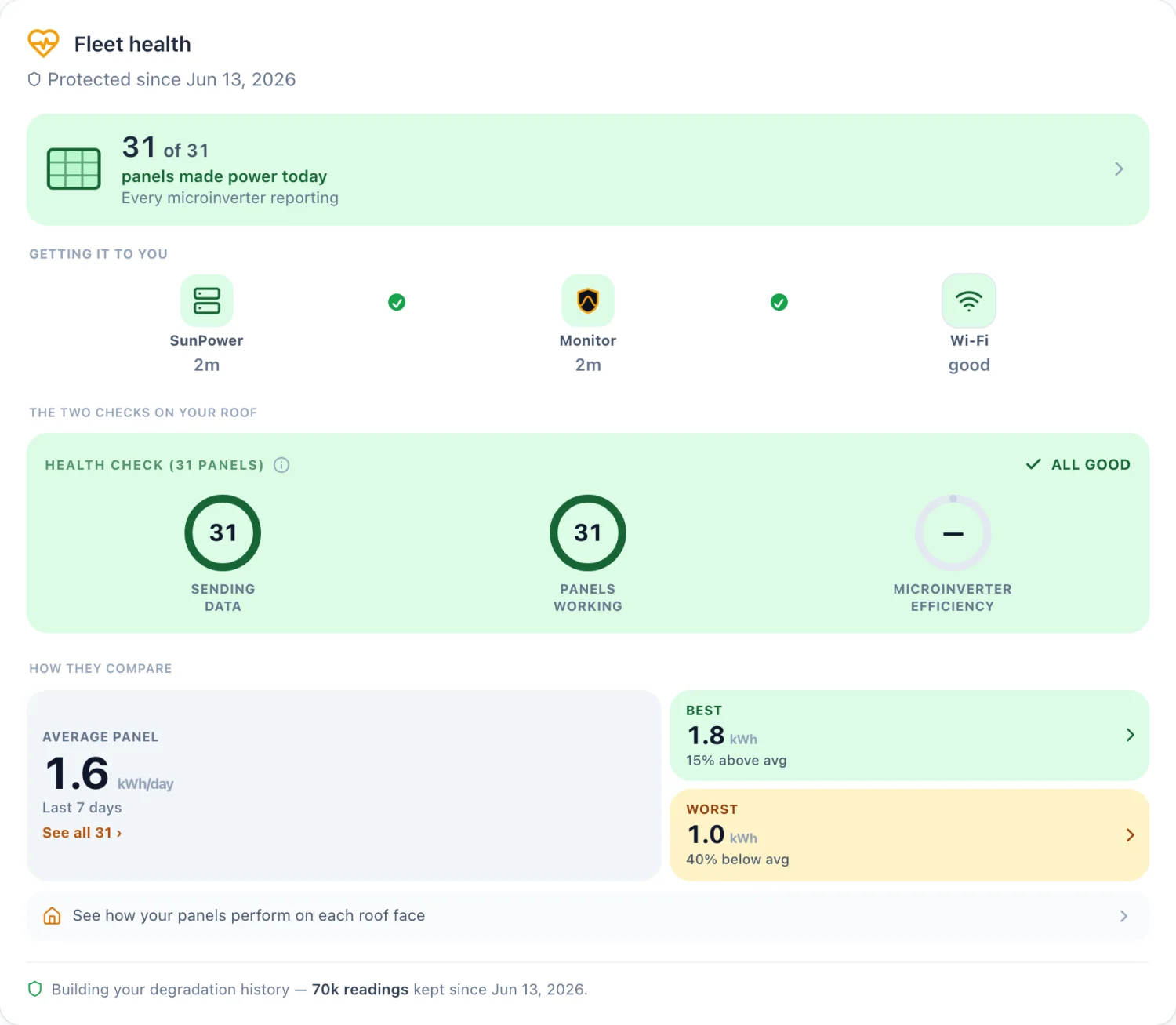
The WattHacker monitor is a small box that plugs into your existing SunPower PVS6 gateway on your own home network and reads it directly. It doesn't rely on SunPower's or SunStrong's servers, because for owners like you those are either gone or behind a paywall. No technician, no electrician, no rewiring — you plug it in yourself.
- The monitor is $50 once, with a 30-day money-back guarantee.
- Free to see your panel data, forever — every panel, live, no subscription, and no card on file.
- An optional premium plan at $6/mo (billed annually) adds the memory: full history kept for good, year-over-year comparison, and alerts told to you in dollars.
- Built by an electrification superfan who wants to help others use their solar smarter, lower their utility bills, and clean up the planet. Who's behind it.
Still have questions about your own system? I'll go through it with you — your panels, your bill, and what's worth doing about it.
Book an energy reviewOwn a SunPower PVS6? See it for SunPower.
Real panels, real production.
Common questions
Is my solar system broken if the mySunPower app stopped working?
Probably not. The app going dark is a company failure, not a hardware failure. SunPower shut down its support operations on September 20, 2024, taking the mySunPower app, the customer web portal and the 1-800-SUNPOWER line with it. Your panels and inverters kept running the entire time — they generate power whether or not anything is reporting on them.
Can I get the mySunPower app back?
No. The original mySunPower app is gone and is not coming back. SunStrong Management took over and rebuilt it as a freemium app, but many owners who bought their systems outright find it does not serve them well. Independent options read your gateway directly on your own network instead.
Why am I still getting monthly SunPower performance emails?
Because the mailer was never switched off. Owners still receive a message from no-reply@sunpowercorp.com titled 'Your Latest SunPower Monitoring Monthly Report', with a PDF called ResiMonthlyPerformanceReport.pdf attached. It is an automated job left running on old infrastructure, not a sign that SunPower is back or that anyone is watching your system. Verified on a real inbox in August 2026, nearly two years after support shut down.
Is that email safe, or is it a scam?
The ones we have examined are genuine automated mail from SunPower's old system, not phishing — but check the sender before trusting any email about your solar. Two details give the real ones away as abandoned rather than maintained: the footer still reads 'Copyright 2021 SunPower Corporation' with the old San Jose address, and the SunPower logo does not load, because the server that hosted it no longer exists in DNS. As always, do not enter passwords or payment details from a link in an email.
The email links to the mySunPower app. Where does that actually go?
To SunStrong Connect. The App Store listing was renamed in place, so the old mySunPower link (app ID 1504718150) now opens 'SunStrong Connect' — same listing, new owner, new name. The email's other two links are dead: the mySunPower product page and the 'Refer Friends and Family' banner both return 404. That referral banner is still inviting owners to recommend a company that filed for bankruptcy in 2024.
What happens if those emails stop?
Nothing happens to your solar. The email is a report about your system, not a part of it — your panels, microinverters, and gateway keep working and keep producing exactly as before. What you would lose is the last automatic record anyone sends you, and it is a thin one: a monthly PDF with no per-panel detail and nothing you can export or analyse. Since it is an unmaintained job on infrastructure that is already decaying, it is safest to assume it stops without notice.
Should I do anything about the emails?
You do not need to act, and there is no reason to panic if they stop. If you want them gone, filter or unsubscribe. The more useful response is to stop depending on them: a monthly PDF from a mailer nobody maintains is not a monitoring system, and it will not tell you that one panel out of thirty quietly stopped three weeks ago.
Why does the app say bad communications?
In March 2025 SunStrong changed the servers the PVS gateway reports to, and updated PVS5 and PVS6 units but not legacy PVS2 units. That left PVS2 owners with 'bad communications' errors even though every physical indicator on the equipment looked normal.
Do you support the PVS5, or only the PVS6?
The monitor reads your gateway's local interface, and the PVS5 exposes the same one — so it was built to work with both. What we can't tell you yet is that it's confirmed, because we haven't had a PVS5 to test on. That testing is open now: if you have a PVS5 and want in, email tony@watthacker.com and you can be one of the units we verify it against.
See your own panels, live.
See plans Try the demo Back to home