What we've seen, adapter by adapter
| Adapter | Result |
|---|---|
| Cable Matters (maker from MAC prefix F4:4D:AD) | Worked. Lease 172.27.153.155, reading its panels, Nov 13 to Nov 19, 2026 |
| TP-Link gigabit, USB 3.0 | Failed. Link flapped about 2 s up, 10 s down; no lease |
| UGREEN, USB 2.0, ASIX AX88772D | Failed, but muddied: a second USB network device was attached at the same time |
The Cable Matters model wasn't read off the box, only the maker from its MAC address. Buy the 202023, the one SunPower lists.
SunPower's rules
From SunPower Tech Note 650368 (July 21, 2022, filed with the PVS6's FCC ID YAW539848-Z):
- Approved: Plugable USB2-E1000 and Cable Matters 202023. "No other dongles are acceptable."
- "A dongle may only be connected when the PVS6 is off."
- Port 2 = LAN1. Port 3 = WAN/LAN2.
Fitting it
- Switch off the PVS6's breaker.
- Adapter into USB2/LAN.
- Ethernet cable from the adapter to your laptop, Pi or monitor.
- Breaker on. Give the gateway a few minutes to boot.
- Check your lease is
172.27.153.x, then log in and read the panels: the full path.
What a failure looks like on the wire
We logged the frames on the failed links. Two patterns:
- Link flapping (the USB 3.0 adapter): carrier up about 2 s, down 10 to 12 s, over and over. Each flap restarts DHCP, so nothing ever settles.
- The gateway acting as a client (an adapter that appeared while it was running): it sends its own DHCP DISCOVER and IPv6 router solicitations, never offers a lease, and never answers ARP for
172.27.153.1. It's treating the port as its internet uplink.
Either way, try another approved adapter with the power off before writing more code.
Thinking of emulating an adapter instead? Read our results first.
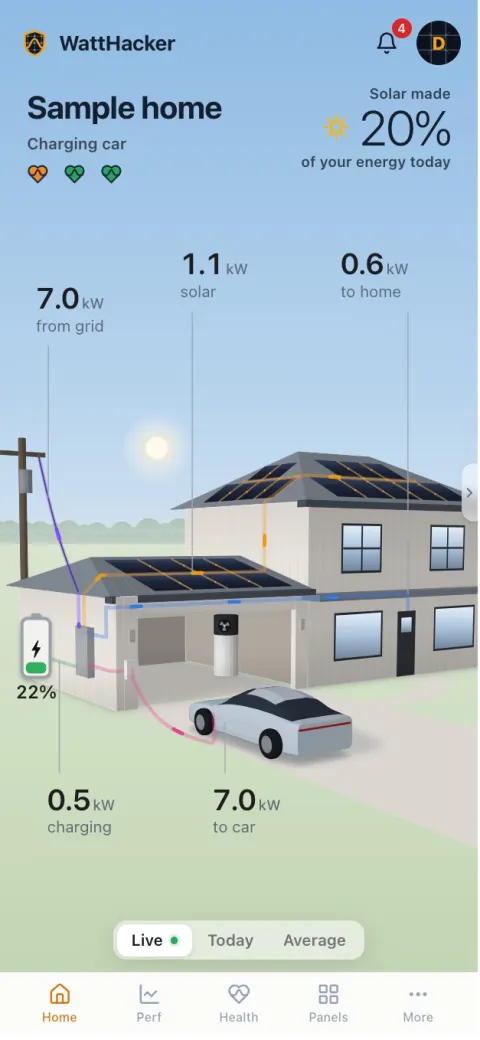
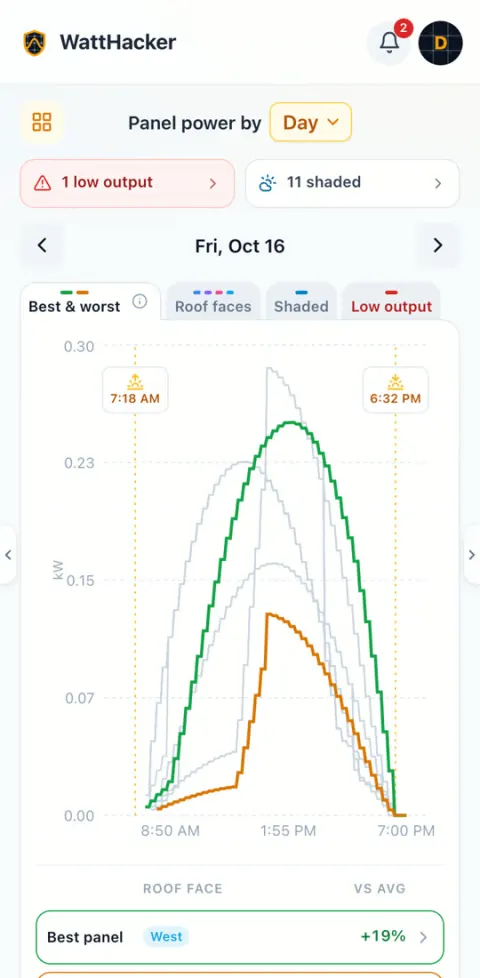
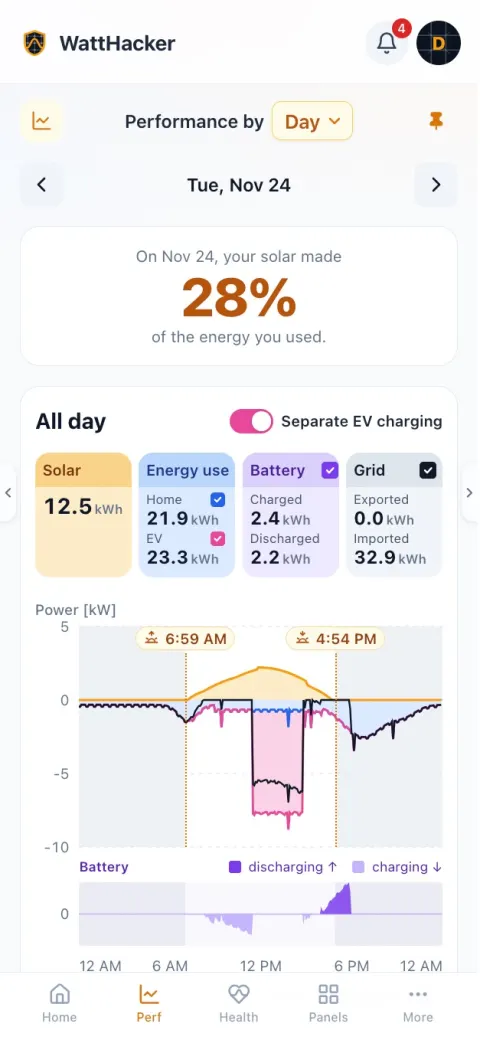
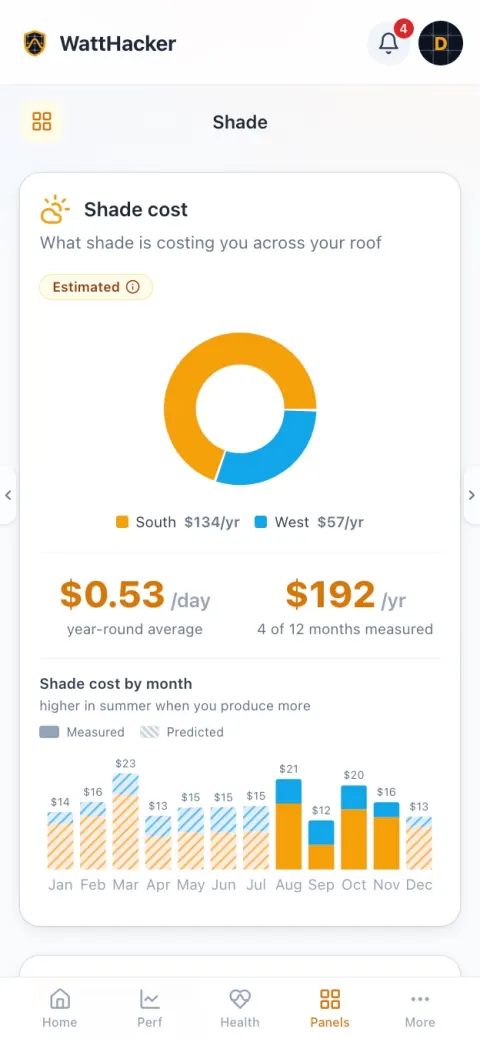
See every panel again.
- No subscription
- Alerts when a panel fails
- Plug it in yourself, no installer
$75 onceEvery panel, live
$199 oncePlus full history


Free app; monitor required. WattHacker is independent and not affiliated with SunPower, SunStrong, Maxeon, or Enphase.
Common questions
Why won't my USB 3.0 Ethernet adapter work with the PVS6?
We don't know the root cause; we know what it did. A TP-Link USB 3.0 gigabit adapter in USB2/LAN brought the link up for about 2 seconds, dropped it for 10 to 12, and repeated. It never got a DHCP lease and 172.27.153.1 never answered. SunPower's approved list has only USB 2.0 adapters.
Do I have to turn off the PVS6 before plugging in the adapter?
SunPower's tech note says a dongle may only be connected when the PVS6 is off. Follow it: it's the one rule the working installs share.
Which USB port do I use?
USB2/LAN, the leftmost of the three USB ports on the no-jack PVS6. SunPower's tech note calls it port 2, LAN1. Port 3 is WAN/LAN2.
What IP address should my laptop get?
Something in 172.27.153.0/24, leased by the gateway at 172.27.153.1. Ours got 172.27.153.155. A 169.254 address means no lease: the adapter isn't being served.
Does the connection survive a gateway reboot?
Yes, with a real adapter. After a power dip rebooted one gateway on November 17, 2026, it re-leased our monitor on its own.
 See every panel again SunPower, no subscription.
See your own panels, live.
See plans Try the demo Back to home